LVM
lvmcache
The advantage to using lvmcache is you can add a cacheing disk to an existing LVM setup, which is nice because other solutions require you to wipe the drives first before building the cache and backing drive setup.
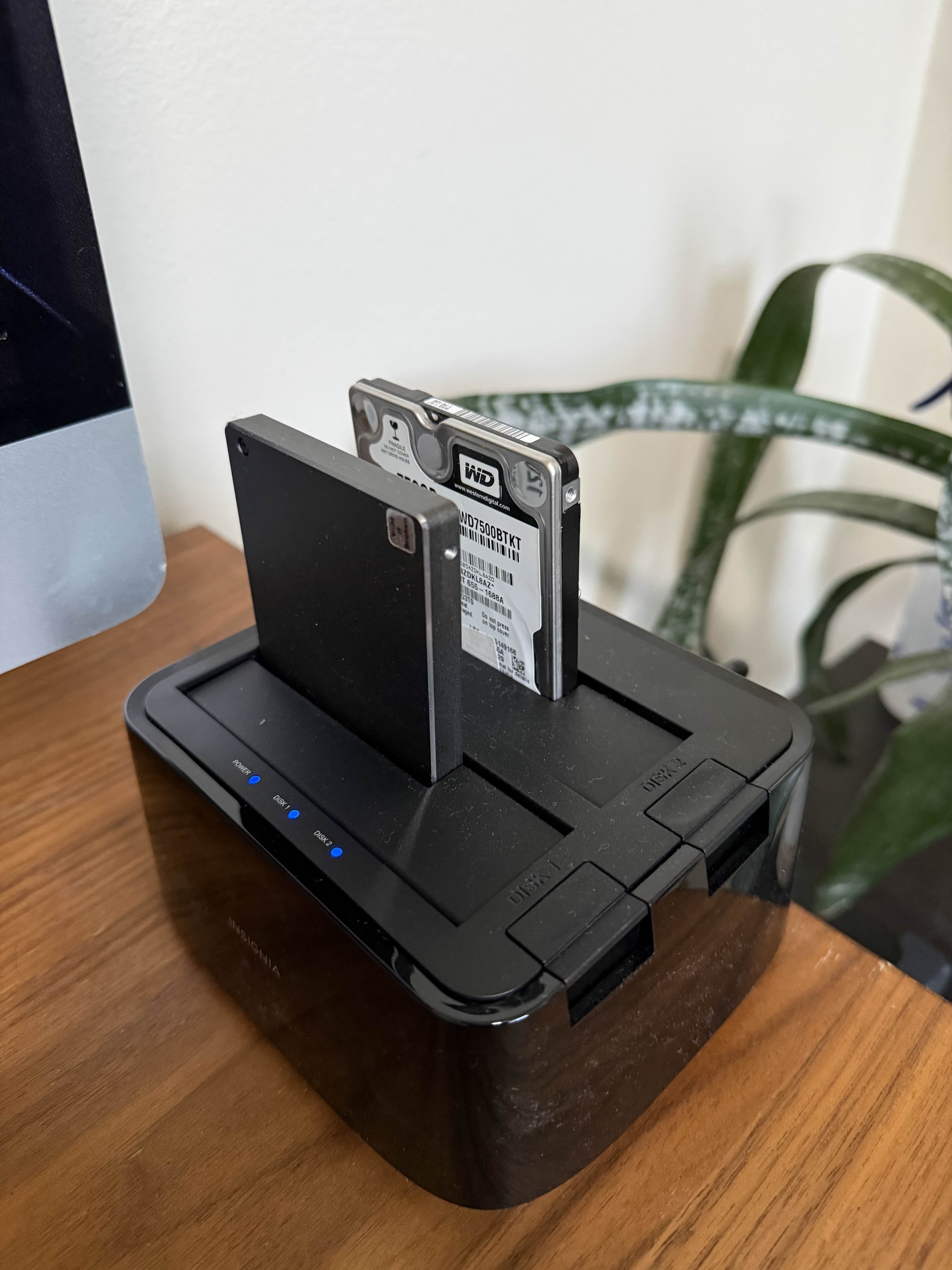
For example this is an external drive setup I have for backups; which uses a 750GB HDD backing disk and a 120GB SSD cache disk.
➜  ~ sudo lvdisplay | grep Cache
  LV Cache pool name     lv_cache_cpool
  LV Cache origin name   backup_lv_corig
  Cache used blocks      99.99%
  Cache metadata blocks  24.39%
  Cache dirty blocks     0.00%
  Cache read hits/misses 5230927 / 1018894
  Cache wrt hits/misses  8805521 / 1427088
  Cache demotions        28982
  Cache promotions       28965
Cache disk is 100% full, and cache hit ratio is 5:1 for reads and 6:1 for writes.
The setup
In this case, I wanted to prove that I could add a cache disk to an existing setup, so first I setup the backing drive (HDD), and cloned my existing backup to it.
sudo pvcreate /dev/sdd
sudo vgcreate backup_vg /dev/sdd
sudo lvcreate -l 100%FREE -n backup_lv backup_vg
sudo mkfs.btrfs -L "backup_lv" /dev/backup_vg/backup_lv
sudo mkdir /mnt/backup_lv
sudo mount -U cbc4ebb7-0c60-420b-8b5f-22c8d392da4c /mnt/backup_lv
sudo btrbk --progress archive /mnt/backup /mnt/backup_lv
Next I add the cache disk.
WARNING
Check the tip about cache modes in the Documentation section before you copy and paste the below.
sudo pvcreate /dev/sdc
sudo vgextend backup_vg /dev/sdc
sudo lvcreate --type cache-pool -l 100%FREE -n lv_cache backup_vg /dev/sdc
sudo lvconvert --type cache --cachemode writeback --cachepool backup_vg/lv_cache backup_vg/backup_lv
The final setup looks like this.
➜  ~ sudo pvdisplay
[sudo] password for augie:
  --- Physical volume ---
  PV Name               /dev/sdd
  VG Name               backup_vg
  PV Size               <698.64 GiB / not usable <4.87 MiB
  Allocatable           yes (but full)
  PE Size               4.00 MiB
  Total PE              178850
  Free PE               0
  Allocated PE          178850
  PV UUID               ov88YW-GiQc-b2jU-V33p-Ulgn-TdU6-PYcM3N

  --- Physical volume ---
  PV Name               /dev/sdc
  VG Name               backup_vg
  PV Size               111.79 GiB / not usable 1.46 MiB
  Allocatable           yes (but full)
  PE Size               4.00 MiB
  Total PE              28618
  Free PE               0
  Allocated PE          28618
  PV UUID               viFt2P-6L1h-nqqY-w5mO-pHCv-fvCM-XQj8ek

➜  ~ sudo lvdisplay
[sudo] password for augie:
  --- Logical volume ---
  LV Path                /dev/backup_vg/backup_lv
  LV Name                backup_lv
  VG Name                backup_vg
  LV UUID                pYgiF9-XEtk-l5eu-si2M-AcrL-SVb4-8IbW86
  LV Write Access        read/write
  LV Creation host, time augnix, 2026-01-31 17:52:24 -0800
  LV Cache pool name     lv_cache_cpool
  LV Cache origin name   backup_lv_corig
  LV Status              available
  # open                 1
  LV Size                698.63 GiB
  Cache used blocks      99.99%
  Cache metadata blocks  24.39%
  Cache dirty blocks     0.00%
  Cache read hits/misses 5231254 / 1018921
  Cache wrt hits/misses  8819692 / 1427461
  Cache demotions        29201
  Cache promotions       29201
  Current LE             178850
  Segments               1
  Allocation             inherit
  Read ahead sectors     auto
  - currently set to     512
  Block device           253:3
Documentation
Creating LVM Cache Logical Volumes
TIP
The default dm-cache cache mode is "writethrough". Writethrough ensures that any data written will be stored both in the cache and on the origin LV. The loss of a device associated with the cache in this case would not mean the loss of any data.
A second cache mode is "writeback". Writeback delays writing data blocks from the cache back to the origin LV. This mode will increase performance, but the loss of a cache device can result in lost data.